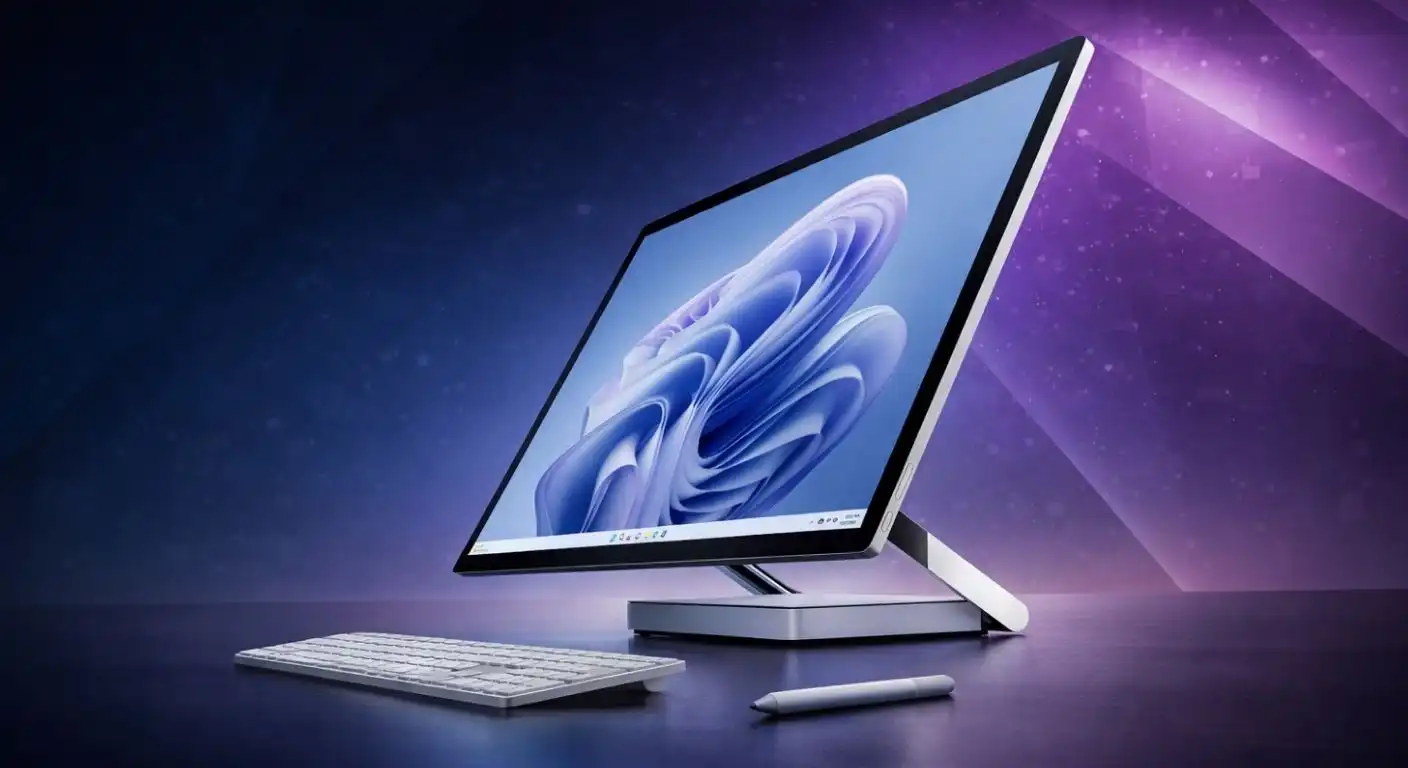
For years, the Microsoft Surface Studio line has occupied a lonely, luxurious corner of the PC market. It is not just a computer; it is a statement piece—a dedicated digital drafting table designed to blur the line between the physical and digital worlds. With the Surface Studio 3, Microsoft aims to refine this iconic form factor while addressing the performance concerns of previous generations.
But with a price tag that rivals a used car, the question remains: is the “cool factor” of the Zero Gravity Hinge enough to justify the cost in an era of powerful Mac Studios and custom-built PC rigs? In this review, we explore the design, performance, and unique creative workflow of the Surface Studio 3 to see if it remains the ultimate canvas for digital artists.
What is the Surface Studio 3?
The Surface Studio 3 is an ultra-premium all-in-one (AIO) desktop PC designed for creative professionals—illustrators, architects, and designers. Unlike a traditional iMac or Dell All-in-One, the Surface Studio is defined by its ability to transform.
The computer components are housed in a small base, allowing the massive screen to be impossibly thin. The magic lies in the mechanism that connects the two, allowing the user to push the screen down from a standard desktop angle into a low-profile “Studio Mode.”
- Form Factor: All-in-One with a floating sheet of pixels.
- Target Audience: Digital artists, 3D modelers, and executives who value aesthetics.
- Core Philosophy: Removing the barrier between the user’s hand and their work.
Design and The Zero Gravity Hinge
The crown jewel of the Surface Studio 3 remains its industrial design, which is arguably the best in the Windows ecosystem. The 28-inch PixelSense display floats effortlessly above the desk, supported by the proprietary “Zero Gravity Hinge.”
This hinge mechanism is not just a gimmick; it is an engineering marvel that allows you to adjust the screen angle with a single finger, while remaining rigid enough to withstand the pressure of drawing.
- The Hinge: weightless adjustment from upright to a 20-degree drafting angle.
- The Base: A compact square housing the CPU, GPU, and ports, keeping the heat away from the screen.
- Build Quality: Premium aluminum construction with a minimalist, industrial grey finish.
The PixelSense Display
The screen is the primary reason you buy this machine. It offers a 3:2 aspect ratio, providing more vertical screen real estate than standard 16:9 monitors and mimicking the dimensions of a sheet of paper.
Microsoft has calibrated this panel to be color-accurate right out of the box, offering distinct color profiles for sRGB, DCI-P3, and Vivid modes.
- Resolution: 4500 x 3000 (192 PPI), delivering razor-sharp text and visuals.
- Touch & Pen: Supports 10-point multi-touch and the Surface Pen with 4,096 levels of pressure sensitivity.
- True Scale: The software allows documents to be displayed at the same size as they would appear in print.
Performance and Specifications
Historically, the Surface Studio line has been criticized for using “laptop components” in a desktop body. The Surface Studio 3 attempts to bridge this gap by integrating improved thermals and modern silicon, specifically moving to 11th/1- or 12th-genntel Core processors and NVIDIA GeForce RTX graphics.
While it is significantly faster than its predecessors, it is important to manage expectations. This is a machine built for vector illustration, photo editing, and light 3D work, rather than heavy 8K video rendering or high-end machine learning tasks.
- Processor: Intel Core i7 (H-Series) for sustained performance.
- Graphics: NVIDIA GeForce RTX 40-Series (Mobile variant) for hardware-accelerated creative tasks.
- Connectivity: Finally includes Thunderbolt 4 ports for high-speed external storage and docking.
The Creative Workflow
Using the Surface Studio 3 is a tactile experience unlike that of other computers. When you lower the screen into Studio Mode, lean on the glass, and start sketching with the Surface Pen, the device disappears, leaving you with just your canvas.
The integration of the Surface Dial (sold separately or included in bundles) adds another layer of immersion. Placing the physical dial on the screen brings up a radial menu of tools, allowing you to change color or brush size with your left hand while drawing with your right.
- Palm Rejection: Excellent firmware ensures your hand resting on the glass doesn’t register as a touch input.
- Surface Pen: Low latency and tilt support make shading feel natural and analog.
- Surface Dial: On-screen detection allows for a fluid, two-handed workflow unique to this device.
Pros and Cons
The Surface Studio 3 is a polarized device; for a specific niche, it is perfect, but for the general power user, the value proposition is difficult to justify.
Here is a breakdown of the strengths and weaknesses to help you decide if this investment fits your workflow:
Pros:
- Unmatched Form Factor: The Zero Gravity Hinge remains the best implementation of a touch desktop in the industry.
- Display Quality: The 28-inch, 3:2 PixelSense screen is stunning, bright, and color-accurate.
- Clean Workspace: A single power cable setup with a sleek, minimalist footprint.
- Thunderbolt 4: The addition of modern ports finally allows for high-speed external expansion.
Cons:
- The Price: It is exorbitantly expensive compared to building a PC with similar specs.
- Non-Upgradable: You cannot upgrade the RAM or Processor later; you are stuck with what you buy.
- Thick Bezels: The design, while classic, is starting to look slightly dated with its thick screen borders compared to modern monitors.
- Mobile Silicon: You are paying desktop prices for laptop-grade performance parts.
Conclusion
The Microsoft Surface Studio 3 is not a computer for everyone. If you prioritize raw power per dollar, you should look elsewhere. However, if you are a digital artist, illustrator, or creative director who wants the absolute best drawing experience on the market, there is still nothing that rivals the Surface Studio.
It remains a luxury item—a “halo product” that inspires creativity through its unique mechanics. While the specs may not top the benchmark charts, the workflow it enables is priceless for those who live and die by the stylus.