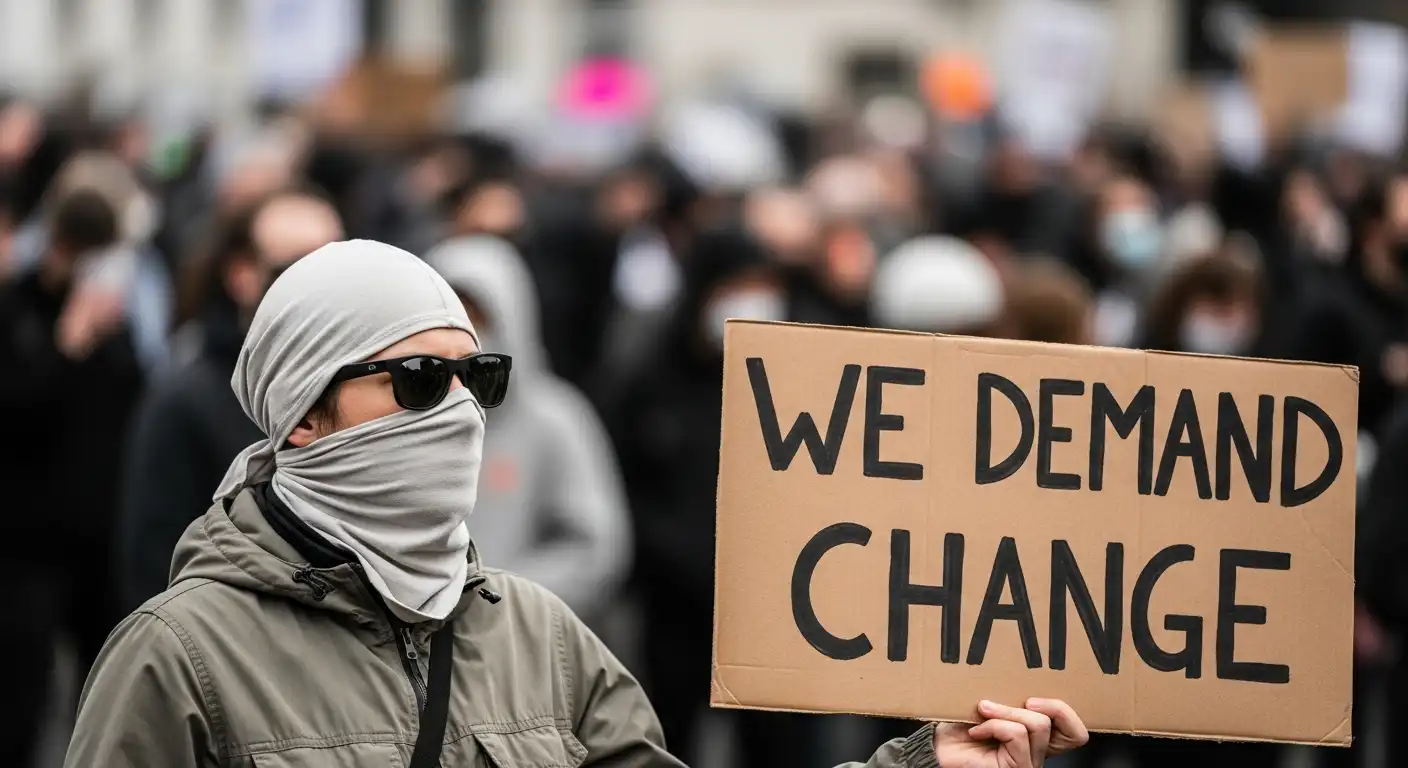
Protests are a fundamental right in democratic societies. They are the voice of the people, a tool for change, and a hallmark of civic engagement. However, the modern protest landscape has shifted dramatically. Today, attending a demonstration is not just a physical act; it is a digital event.
When you step onto the street, you are stepping into a surveillance dragnet. You are surrounded by:
- Stingrays: Devices that mimic cell towers to intercept phone data.
- Facial Recognition: Cameras (both police and private) scanning crowds to identify individuals.
- Social Media: Thousands of fellow protestors live-streaming, inadvertently broadcasting your location and identity to the world.
- Data Brokers: Companies buying and selling geolocation data that can place you at the scene of a protest months later.
The consequences of this surveillance can range from doxxing and harassment to legal prosecution and employment termination. Protecting your privacy is no longer about having “something to hide”; it is about protecting your right to assemble safely without fear of retribution.
This comprehensive guide will equip you with the digital and physical hygiene practices necessary to exercise your rights while minimizing your digital footprint.
Phase 1: Pre-Protest Preparation (The Digital Cleanse)
Your preparation begins at home, long before you make a sign or tie your shoes. The most significant vulnerability you carry is the supercomputer in your pocket.
The “Burner” Option
The safest phone is the one you leave at home.
However, in 2024, going without a phone is a safety risk in itself (you need it to coordinate with friends, call for help, or document abuse).
- Gold Standard: Buy a cheap, prepaid “burner” phone with cash. Do not link it to your primary Google or Apple account. Use it only for calls and texts with your protest group.
- Silver Standard: If you must bring your primary smartphone, you need to harden it.
Hardening Your Primary Device
If you bring your main phone, you must lock it down.
- Disable Biometrics: Turn off Face ID and Fingerprint unlock. Use a strong 6-digit (or alphanumeric) passcode.
- Why: In many jurisdictions, police can legally force you to use your fingerprint or face to unlock a phone, but they cannot legally force you to divulge a passcode (which is considered “testimony”).
- Turn Off Location Services: Go deep into your settings and disable Location Services entirely. Do not just turn off the GPS; turn off the master switch.
- Disable Bluetooth and Wi-Fi: These protocols constantly ping nearby devices and routers, creating a digital trail of where you have been. Turn them off in Settings (not just the Control Center, which often leaves them partially active).
- Enable Full Disk Encryption: Most modern phones do this by default, but check your security settings to be sure. If your phone is seized, encryption makes the data unreadable without the passcode.
The “Go-Bag” of Apps
Install these apps before you leave home. You might not have enough signal to download them in a crowd.
- Signal: The gold standard for encrypted communication. Set messages to “Disappearing” (e.g., delete after 1 hour).
- Offline Maps: Download an offline map of the protest area (using Google Maps or Organic Maps) so you can navigate if cell towers are jammed or overloaded.
- Image Scrubber: An app designed to blur faces and remove metadata from photos before you share them.
Phase 2: Physical Anonymity (Dressing for Privacy)
Your digital footprint is only half the battle. Cameras are everywhere. Facial recognition technology is becoming terrifyingly accurate, capable of identifying you even from a partial profile.
The Mask Strategy
The COVID-19 pandemic normalized masks, which is a massive advantage for privacy.
- Wear a Mask: A generic medical mask or N95 is best. Avoid masks with unique logos, slogans, or patterns that can identify you.
- Sunglasses: Eyes are a key biometric marker. Large, dark sunglasses disrupt facial recognition algorithms.
- Hats: A plain baseball cap pulled low obscures your face from overhead drones and street cameras.
The “Gray Man” Concept
The goal is to be unmemorable.
- Cover Tattoos: Use long sleeves, pants, or makeup to cover distinctive tattoos. Tattoos are one of the primary ways law enforcement identifies protestors from video footage.
- Generic Clothing: Wear plain, solid colors. Avoid bright neons, unique band t-shirts, or logos. Do not wear the same “protest outfit” to every event; rotate your clothing.
- Footwear: Wear comfortable, nondescript running shoes.
- Leave the Jewelry: Leave watches, rings, and distinctive necklaces at home.
Phase 3: Communication Hygiene (During the Event)
Once you are at the protest, your behavior matters as much as your settings.
Airplane Mode is Your Friend
If you are not actively making a call or sending a text, keep your phone in Airplane Mode. This stops your phone from pinging cell towers (Stingrays) and prevents your location from being triangulated. Only turn it on when necessary.
Avoid “Checking In”
Do not post to social media in real-time.
- No Geotags: Never tag your location on Instagram or Twitter while you are there.
- No Live Streaming: Live streaming broadcasts your location and the faces of everyone around you to the police and potential doxxers.
- The Delay Rule: Wait until you are safely home and have scrubbed your media (see Phase 4) before posting anything.
Use Encrypted Channels Only
Do not use SMS (standard text messages) or Facebook Messenger. These are not end-to-end encrypted and can be intercepted or subpoenaed easily. Use Signal.
- Safety Number Verification: Verify safety numbers with your friends in person before you separate. This ensures you are texting their device and not a “Man-in-the-Middle” interceptor.
Phase 4: Documenting Safely (The Ethical Photographer)
You may want to document the protest to hold power accountable or share the message. However, your photos can endanger others.
The “Do No Harm” Rule
Assume that every photo you take could be used as evidence against the people in it.
- Don’t Film Faces: Focus on signs, hands, feet, or the backs of heads. Avoid capturing the faces of fellow protestors.
- Blur Before You Share: If you capture faces, use an app like Signal (which has a built-in blur tool) or Image Scrubber to blur faces and tattoos before posting.
Scrub the Metadata (EXIF Data)
Every digital photo contains hidden data called EXIF data. It includes the camera model, the date and time, and—crucially—the exact GPS coordinates where the photo was taken.
- Social Media Stripping: Major platforms like Twitter, Facebook, and Instagram automatically strip EXIF data when you upload.
- Direct Sharing Risk: If you email a photo or send it via text/AirDrop, the EXIF data remains. Use a metadata removal tool before sharing files directly.
Phase 5: Post-Protest Decompression
When you leave the protest, the surveillance doesn’t stop immediately.
The “Cool Down” Route
Do not go straight home. If you are being followed (physically or digitally), you don’t want to lead them to your front door.
- Take a Detour: Walk a few blocks in the wrong direction. Stop at a coffee shop. Take a convoluted route.
- Turn Phone On Late: Wait until you are away from the protest zone before turning off Airplane Mode. This separates your identity from the event location in the data logs.
Change Your Passcode
If you were detained or if your phone was out of your sight for any period, assume it is compromised. Change your passcode immediately.
Digital Review
Check your social media. Did anyone tag you in a photo? Untag yourself immediately. Search your name or handle on Twitter to see if you have been identified by opposition groups.
Special Considerations: If You Are Arrested
If the worst happens, you need to know your digital rights.
Do Not Unlock Your Phone
You have the right to remain silent. In the US, the Fifth Amendment protects you from self-incrimination.
- Refuse Consent: Clearly state, “I do not consent to a search of my device.”
- Do Not Unlock: Do not enter your passcode or use your face to unlock the phone for the police, even if they threaten you. They may confiscate the phone, but an encrypted, locked phone is much safer than an unlocked one.
The Remote Wipe Option
If you are separated from your phone, have a trusted friend or family member who has access to your “Find My iPhone” or “Find My Device” (Android) account.
- The Nuclear Option: If you believe your device is in danger of being cracked and contains sensitive information that puts others at risk, you can have your trusted contact remotely wipe the device. Note: This destroys evidence, which can have legal implications. Consult a lawyer about this strategy.
Conclusion
Protecting your privacy during a protest is not an act of selfishness; it is an act of community care. By securing your device, you protect the contacts in your address book. By blurring faces in your photos, you protect the stranger standing next to you. By wearing a mask, you normalize anonymity for those who are most vulnerable.
Surveillance technology is powerful, but it is not omnipotent. It relies on our complacency. By adopting these digital hygiene habits, you can exercise your democratic rights while minimizing the risks. Stay safe, stay secure, and let your voice be heard—without leaving a trail.