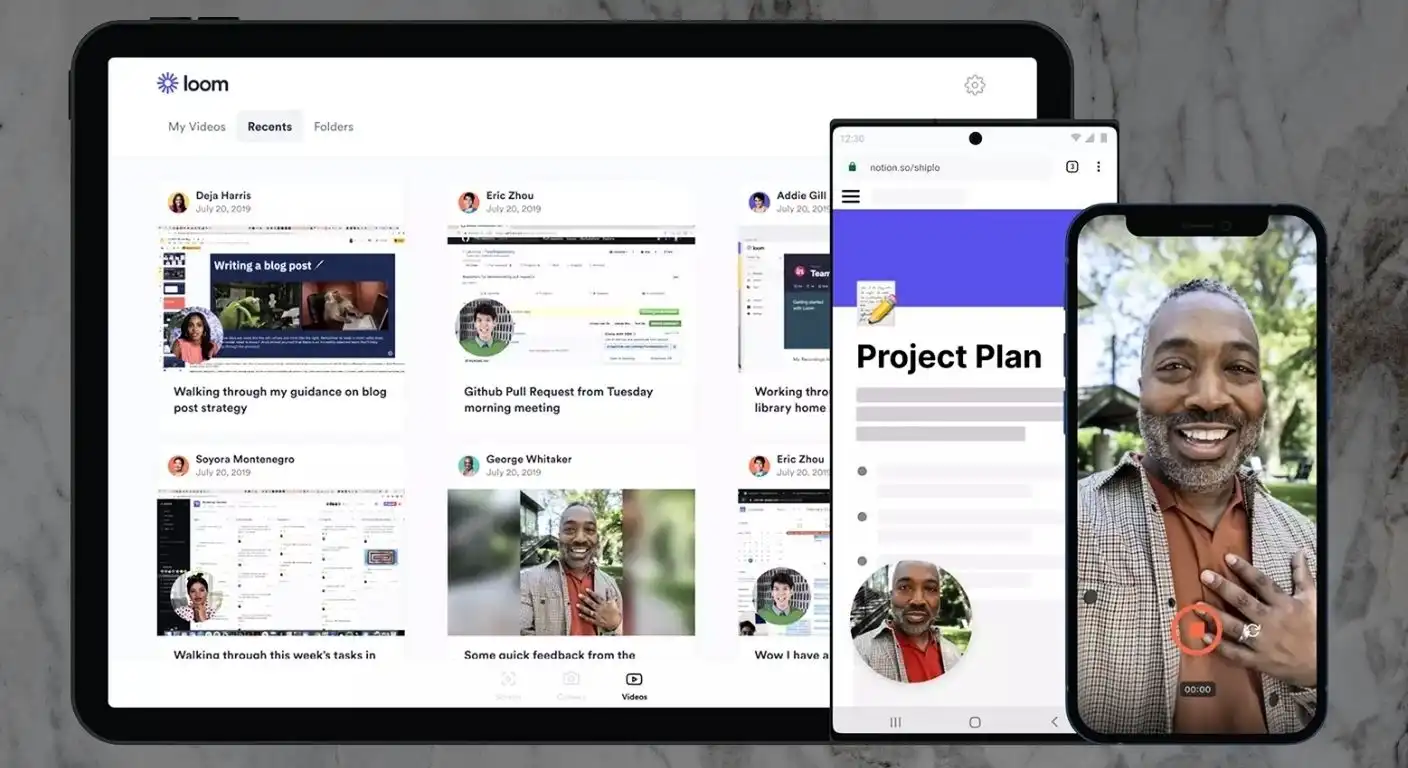
In the era of remote work and distributed teams, “Zoom fatigue” has become a genuine occupational hazard. We spend hours in synchronous meetings just to share updates that could have been an email, yet we avoid emails because tone and nuance are often lost in text. This is the exact friction point that Loom aims to solve.
Positioned as the leading video messaging platform for the workplace, Loom allows users to record their screen, voice, and face simultaneously to create instantly shareable videos. In this review, we analyze whether Loom is simply a glorified screen recorder or if it is the essential asynchronous communication platform that modern businesses desperately need.
What is Loom?
Loom is a video messaging tool that helps you get your message across through instantly shareable videos. It records your screen, microphone, and camera simultaneously, creating a “picture-in-picture” experience that makes technical walkthroughs or feedback feel personal and human.
Unlike traditional video editors, where you record, render, upload, and then share, Loom streamlines the entire process into one click. As soon as you press “Stop” on your recording, the video is already uploaded to the cloud and ready to be shared via a link, making it faster than typing an email.
- Asynchronous Video: Send updates on your own time, allowing the recipient to watch at 2x speed whenever they are ready.
- The “Bubble” Cam: The iconic circular camera overlay allows you to maintain eye contact and personality while showing complex data on your screen.
- Cloud-Native: No massive video files cluttering your hard drive; everything is hosted instantly on Loom’s servers.
Key Features and Capabilities
Loom has evolved significantly from a simple browser extension into a robust enterprise communication platform. It now boasts a suite of editing, transcription, and interactive features designed to replace lengthy meetings and confusing documentation.
Instant Recording and Sharing
The core value proposition of Loom is speed; it removes every barrier between having a thought and sharing it with a colleague. Whether you use the Chrome extension, the Desktop app, or the Mobile app, the workflow is designed to be frictionless and immediate.
- Instant Link Generation: The moment you finish recording, a shareable link is copied to your clipboard—no rendering time required.
- Drawing Tools: Annotate your screen in real-time while recording to highlight specific numbers, bugs, or design elements.
- Custom Recording Windows: Choose to record your entire desktop, a specific window, or just a single browser tab to maintain privacy.
Loom AI and Transcription
Loom has aggressively integrated artificial intelligence to make video content more searchable and consumable. These features transform a raw video into a structured piece of information that is easy to digest without watching every second.
- Auto-Titles and Summaries: Loom AI analyzes the audio to automatically generate a relevant title and a bulleted summary of the video’s content.
- Instant Transcripts: Every video is automatically transcribed, making the content searchable and accessible for users who prefer reading.
- Filler Word Removal: The software can automatically detect and cut out “ums” and “ahs,” making you sound more polished and professional.
Interactive Engagement
Loom is not a one-way broadcast tool; it is built for conversation and feedback loops. The playback interface includes features that encourage the viewer to react, ensuring the sender knows their message was received and understood.
- Time-Stamped Comments: Viewers can leave comments at specific moments in the video, which is invaluable for design feedback or code reviews.
- Emoji Reactions: Quick reactions allow teams to acknowledge updates without needing to type out a formal reply.
- Call-to-Action (CTA) Buttons: Enterprise users can add clickable buttons within the video player to link to external documents or calendars.
Usability and Interface
One of the primary reasons Loom achieved viral growth is its incredibly low barrier to entry. The user interface is intuitive and unobtrusive, designed to float over your existing workflow rather than taking it over.
Navigating the dashboard and the recording controls is simple enough that even non-technical users can master it in minutes. The “Library” view organizes your videos effectively, and the recording controls are minimal but powerful.
- The Floating Menu: A small, movable control bar allows you to pause, restart, or cancel a recording without cluttering the screen.
- Simple Trimming: The built-in video editor allows you to quickly trim the start and end of a video or cut out a mistake in the middle.
- Speaker Notes: A floating window of notes (invisible to the recording) helps you stay on track during a presentation.
Pros and Cons
While Loom is the category leader, it is not without its limitations, particularly regarding its pricing structure for power users. It is essential to weigh the efficiency gains against the limitations of the free plan and the recurring cost of the paid tiers.
The Advantages
Loom excels at humanizing digital communication and saving time. It allows complex ideas to be explained in minutes that would otherwise take an hour to write out in an email or document.
- Speed of Communication: It is significantly faster to talk through a problem than to type it out, reducing back-and-forth emails.
- Personal Connection: Seeing a face and hearing a voice builds rapport in remote teams that text-based communication lacks.
- Viewer Insights: You get notified when someone watches your video, giving you confirmation that your message has landed.
The Disadvantages
The primary drawbacks revolve around the restrictions placed on free users and the occasional technical hiccup. As the tool becomes more advanced, some users feel the simplicity that made it famous is being crowded by enterprise features.
- 5-Minute Free Limit: The free plan caps videos at 5 minutes, which can be frustratingly short for detailed tutorials or demos.
- Loom AI Cost: The advanced AI features (summaries, auto-titles) are often sold as an add-on to the standard subscription.
- Performance Impact: On older computers, running Loom alongside heavy applications (like Adobe software) can sometimes cause lag.
Pricing Plans
Loom offers a tiered pricing structure that caters to casual individual users as well as large enterprise teams. The “Starter” plan is a great entry point, but serious business users will almost certainly need to upgrade to remove the time limits.
- Starter (Free): Includes up to 25 videos per person and a strict 5-minute recording limit per video.
- Business ($12.50/user/month): Unlimited videos, unlimited recording length, AI features, and custom branding.
- Enterprise (Custom Pricing): Adds advanced security, SSO (Single Sign-On), and Salesforce integration.
Conclusion
Loom is one of those rare software tools that genuinely change the way a company operates. It effectively kills the “meeting that could have been an email” by offering a third option: the video message. For sales teams, developers, and remote workers, it is an indispensable part of the tech stack.
While the 5-minute limit on the free plan is a hurdle, the ROI of the Business plan is easily justified by the hours of meeting time saved. If you value clarity, speed, and personal connection in your digital communication, Loom is the standard-bearer for a reason.