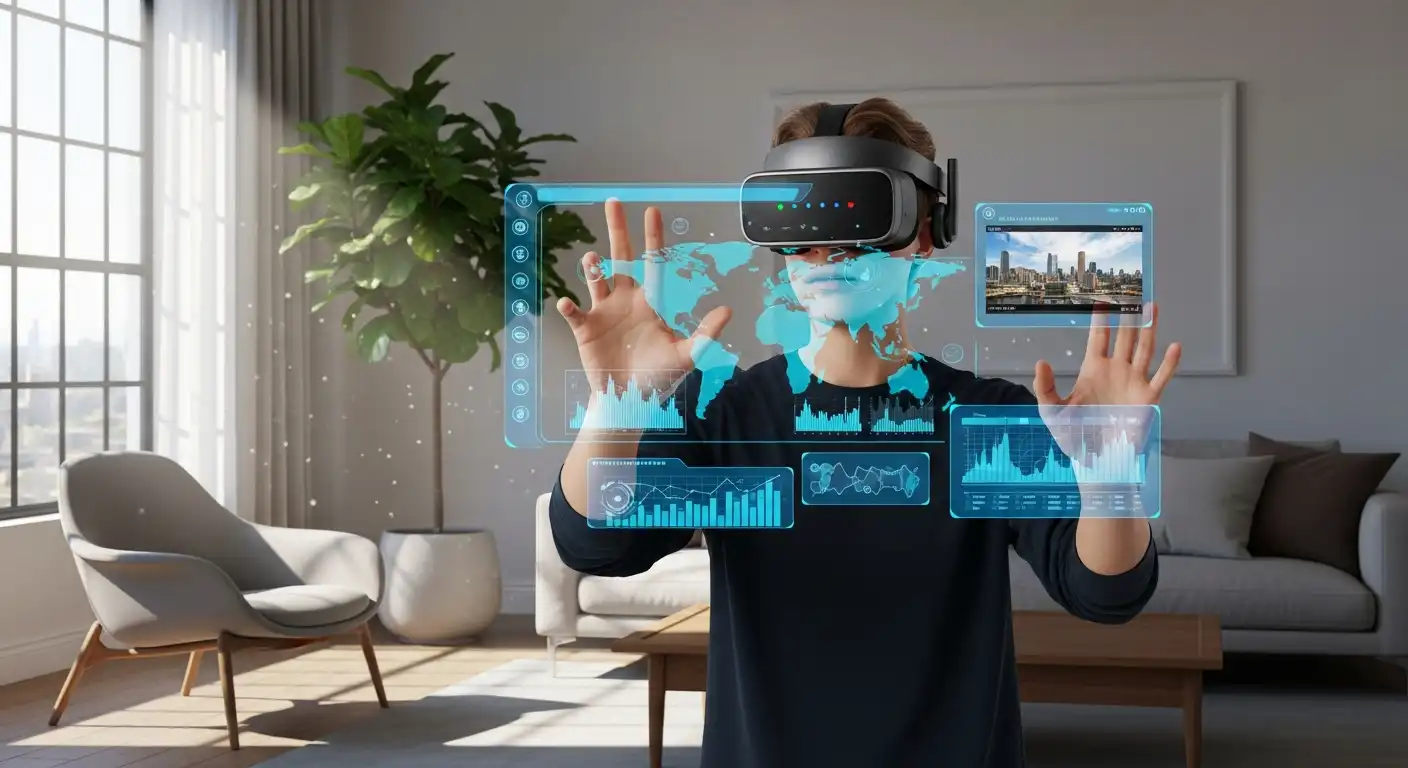
For decades, science fiction has promised us a future where we can step inside our computers, visit distant planets without leaving our living rooms, and see digital information floating in the air before our eyes. That future is no longer the stuff of movies like The Matrix or Minority Report. It is here, affordable, and rapidly changing the way we work, play, learn, and connect.
However, for the uninitiated, the landscape of immersive technology can be confusing. We are bombarded with acronyms: VR, AR, MR, XR. Tech giants like Apple, Meta, and Google are fighting for dominance in a market that seems to shift every few months. You might be asking: Is this just for gamers? Is it going to replace my smartphone? Is it worth investing in now?
This comprehensive guide will demystify the world of Virtual Reality (VR) and Augmented Reality (AR). We will break down the differences, explore the technology, analyze its practical applications beyond gaming, and offer advice on navigating this brave new world of “Spatial Computing.”
The Spectrum of Reality: Defining the Terms
To understand where we are going, we must first define the map. These technologies fall under an umbrella term called XR (Extended Reality). Think of XR as a spectrum. On one end, you have the physical world (where you are right now). On the other end, you have a completely digital environment. VR and AR sit at different points on this line.
Virtual Reality (VR)
Virtual Reality is about transplantation. It effectively blinds you to the physical world, replacing it with a computer-generated simulation. When you put on a VR headset, your living room disappears. You might be standing on the surface of Mars, sitting in a virtual movie theater, or floating in the International Space Station.
- Key Characteristic: Total immersion. You are “inside” the digital world.
- Primary Hardware: Head-mounted displays (HMDs) like the Meta Quest, PlayStation VR2, or HTC Vive.
Augmented Reality (AR)
Augmented Reality is about enhancement. It keeps one foot in the real world. AR overlays digital elements—images, text, 3D models—onto your view of the actual physical environment. You can still see your coffee table, but there might be a digital chessboard sitting on it.
- Key Characteristic: The real world remains the primary focus; digital content serves to add context or entertainment.
- Primary Hardware: Smartphones (Pokémon GO, IKEA Place), Smart Glasses (XREAL, Ray-Ban Meta), and high-end enterprise headsets (Microsoft HoloLens).
Mixed Reality (MR)
This is where the lines blur. Mixed Reality (sometimes called Spatial Computing) is an advanced form of AR. In basic AR, digital objects simply float over the real world. In MR, digital objects interact with the real world. A virtual ball might roll off your real table and bounce on the real floor.
- Key Characteristic: Physical and digital objects coexist and interact in real time.
- Primary Hardware: Apple Vision Pro, Meta Quest 3 (using passthrough cameras).
Deep Dive: Virtual Reality (VR)
Virtual Reality has matured significantly since the clunky, nauseating prototypes of the 90s. Today, it is a sleek, consumer-friendly technology.
How VR Works
Modern VR relies on two critical components: stereoscopic displays and tracking.
- The Display: Inside the headset are screens (one for each eye) that project slightly different angles of the scene. Your brain fuses these images to create a sense of 3D depth.
- Tracking (Degrees of Freedom): This is the magic sauce.
- 3DoF (Three Degrees of Freedom): You can look up, down, left, and right, but you cannot move through the space. This is common in cheap, older headsets.
- 6DoF (Six Degrees of Freedom): You can look around and walk around. If you take a step forward in your room, you take a step forward in the virtual world. This is the standard for modern VR.
Beyond Gaming: The Real Power of VR
While gaming drives the market, VR’s potential is far broader.
- Training and Simulation: Pilots have used simulators for years, but Walmart is now using VR to train managers for Black Friday crowds. Surgeons practice complex procedures in VR before touching a patient, significantly reducing error rates.
- Mental Health therapy: VR is a potent tool for exposure therapy. Veterans with PTSD can revisit traumatic scenarios in a controlled environment to process their trauma. It is also used to treat phobias, from fear of heights to fear of public spiders.
- Virtual Tourism: You can visit the Louvre, climb Mount Everest, or walk the streets of Tokyo without a plane ticket. For the elderly or those with mobility issues, this provides a window to the world.
- Design and Architecture: Architects can walk clients through a building before a single brick is laid, changing wall colors or layouts with a wave of a hand.
Pros of VR:
- Unmatched immersion and emotional presence.
- Excellent for skill acquisition and muscle memory.
- Complete escape from physical surroundings.
Cons of VR:
- Isolation (you are cut off from people in the room).
- Motion sickness (a disconnect between what your eyes see and what your inner ear feels).
- Requires a safe, open physical space to avoid tripping.
Deep Dive: Augmented Reality (AR)
If VR takes you to a new world, AR brings the magic to this one. AR is currently more accessible than VR because billions of people already own the necessary hardware: a smartphone.
Types of Augmented Reality
- Marker-based AR: The camera identifies a visual marker (such as a QR code or a specific logo) and projects an image onto it.
- Markerless AR: Using GPS, digital compasses, and accelerometers to provide data based on your location. Pokémon GO is the most famous example.
- Projection-based AR: Projecting light onto real surfaces (like a laser keyboard).
- Superimposition-based AR: Replacing the original view of an object with a new, augmented view. For example, the IKEA app lets you place a 3D model of a sofa in your actual living room to see if it fits.
The Rise of Smart Glasses
While phones are great, holding a screen up is not natural. The “End Game” for AR is lightweight glasses.
- Audio/Camera Glasses: The Ray-Ban Meta glasses let you take photos and listen to AI assistants without a screen.
- Screen Reflection Glasses: Brands like XREAL and Rokid project a phone screen onto your eyes, giving you a massive virtual TV screen for movies or work, though they don’t truly “map” the room.
- Holographic Glasses: The “holy grail” (like the Magic Leap 2 or Microsoft HoloLens 2) creates 3D holograms that lock to the physical world. These are currently expensive and bulky, used mostly in enterprise and military applications.
Real-World Use Cases for AR
- Retail: “Try before you buy.” Makeup brands let you virtually try on lipstick; shoe brands let you see sneakers on your feet.
- Navigation: Google Maps Live View overlays giant arrows on the actual street view through your camera, so you never miss a turn.
- Maintenance and Repair: A mechanic can wear AR glasses while looking at an engine. The glasses can highlight the specific bolt that needs tightening and display the torque manual in their peripheral vision, leaving their hands free.
- Education: Students can point a tablet at a textbook diagram of a heart and watch it pop out in 3D, beating and allowing them to dissect it layer by layer.
Pros of AR:
- Highly accessible (mostly smartphone-based).
- Social (you remain present in the real world).
- Enhances productivity by overlaying data.
Cons of AR:
- Limited field of view in current glasses.
- Smartphone AR can be physically tiring (requiring arm elevation).
- Privacy concerns regarding cameras on glasses.
The Convergence: Mixed Reality and Spatial Computing
We are currently witnessing a massive shift as VR headsets become AR devices. This is accomplished through Passthrough Technology.
Devices like the Apple Vision Pro and Meta Quest 3 are technically VR headsets—opaque screens that cover your eyes. However, they are covered in high-resolution cameras that film the outside world and stream it to your eyes with near-zero latency.
This allows you to sit in your living room, see your family and your dog, while a 100-inch movie screen floats on the wall and a web browser floats above your coffee table. Apple calls this Spatial Computing. It frees the computer from the monitor. The size of your screen no longer limits your workspace; it is limited only by your room.
Buying Guide: Which Reality is Right for You?
If you are looking to dip your toes into immersive technology, the choices can be overwhelming. Here is a breakdown based on user needs.
The Gamer & Media Enthusiast
If you want to fight zombies, fly spaceships, or get a sweat on with rhythm games like Beat Saber, you want VR.
- Recommendation: Meta Quest 3. It is the current gold standard for consumers. It is wireless, doesn’t need a PC, has a massive library of games, and offers excellent Mixed Reality features.
- Console Alternative: If you own a PlayStation 5, the PSVR2 offers high-end graphics, though it’s tethered to the console.
The Early Adopter & Professional
If you want a taste of the future of computing—multiple monitors floating in air, high-fidelity movie watching, and seamless ecosystem integration.
- Recommendation: Apple Vision Pro. It is incredibly expensive, but it offers the best eye-tracking and hand-tracking interface ever built. It is a productivity tool first, and an entertainment device second.
The Traveler & Movie Watcher
If you want to watch movies on a massive screen while on a plane or train, but don’t want a bulky headset, then this is the product for you.
- Recommendation: XREAL Air 2 or Rokid Max. These look like thick sunglasses. They plug into your phone or laptop and simulate a large TV screen in front of you. They are technically AR, but are mostly used as portable monitors.
The Content Creator
If you want to capture your life from a first-person perspective without holding a phone.
- Recommendation: Ray-Ban Meta Smart Glasses. They have no display, but excellent cameras and audio. They are the most stylish and least intrusive wearable tech currently available.
The Challenges Facing Adoption
Despite the hype, mass adoption faces several hurdles that the industry is working to overcome.
The “Face Computer” Problem
Humans are social creatures. Putting a computer on your face creates a barrier. Even with features like Apple’s “EyeSight” (which displays a digital version of your eyes to people looking at you), headsets can feel isolating. For AR glasses to go mainstream, they need to look like normal glasses, weigh the same as normal glasses, and last all day. We are likely 5 to 10 years away from that physics miracle.
Cybersickness
A significant portion of the population experiences motion sickness in VR. This happens when your eyes tell your brain “we are moving,” but your inner ear tells your brain “we are sitting still.” Hardware developers are combating this with higher refresh rates and better tracking, while software developers are using “teleportation” movement mechanics to reduce nausea.
Privacy and Data Security
If you think smartphones collect a lot of data, wait until you see XR. To work, these devices must map your room. They know how big your house is, what furniture you have, and where you look (via eye-tracking). This data is incredibly valuable to advertisers. Users must be vigilant about privacy settings and understand what data is being shared with tech giants.
The Future: Where Do We Go From Here?
The trajectory of XR points toward a world where the screen disappears entirely. We are moving from the “Information Age” (accessing data through rectangles in our pockets) to the “Experiential Age” (living inside the data).
The Metaverse
While the buzzword has lost some of its luster, the concept remains: a persistent, shared, 3D virtual space where people can socialize, work, and trade. Whether it’s Roblox, Fortnite, or VRChat, the younger generation is already socializing in 3D spaces. VR is the natural interface for this evolution.
WebXR
The future isn’t just apps; it’s the web. WebXR is a standard that allows VR and AR experiences to run directly in a web browser. Imagine browsing a shoe store’s website and instantly seeing the shoes on your feet without downloading an app. This reduces friction and will likely drive the next wave of AR adoption.
Haptic Feedback
Visuals and audio are nearly perfected. The next frontier is touch. Companies are developing haptic gloves and vests that allow you to “feel” the virtual world—the resistance of a virtual steering wheel, the texture of a virtual fabric, or the recoil of a virtual tool.
Advice for Getting Started
If you are hesitant, you don’t need to spend $3,500 on an Apple headset to experience this.
- Start with your Phone: Download the Google Arts & Culture app. Use the AR features to put a life-sized dinosaur in your hallway or hang a Vermeer painting on your wall. This is free and gives you a taste of AR.
- Try Before You Buy: Many electronics retailers or gaming cafes offer VR demos. You cannot understand VR by watching a video of it on a 2D screen; you have to put on the headset.
- Check the Comfort: If you wear glasses, check if the headset has a spacer or prescription lens inserts. Comfort is the number one reason people stop using headsets.
- Create Space: If you buy a VR headset, ensure you have a “Guardian” boundary in place. Clear a 6×6-foot space. Broken TVs and bruised knuckles are the most common side effects of enthusiastic VR gaming.
Conclusion
Virtual and Augmented Reality are no longer “emerging” technologies; they have emerged. They are reshaping how surgeons operate, how mechanics fix engines, how students learn history, and how friends connect across oceans.
While the hardware is still evolving—shrinking in size and growing in power—the fundamental shift is undeniable. We are moving away from looking at computers and toward looking through them. Whether you are an enthusiast, a professional, or a skeptic, understanding this technology is essential for navigating the digital future. The screen is no longer the limit; it’s just the beginning.