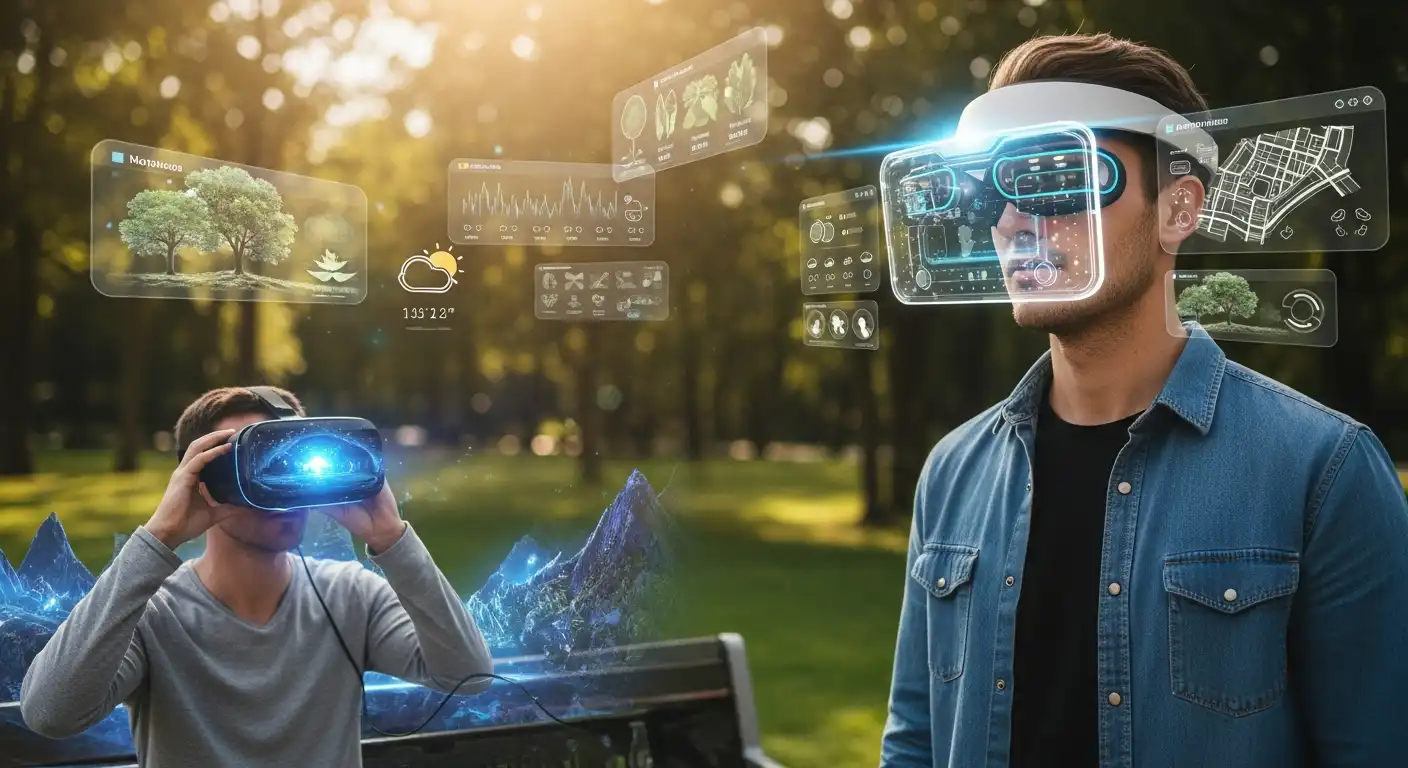
For the last two decades, our digital lives have been lived through a small, glowing rectangle held in our hands. The smartphone, a marvel of miniaturization and connectivity, has been our window to the world, our primary tool, our constant companion. We have learned the language of swipes, taps, and pinches, becoming fluent in an interface that, for all its power, forces us to look down, away from the world around us, constantly. As we surge past the midpoint of the decade, this head-down paradigm is on the cusp of a profound and historic upheaval. The window is about to shatter, and the digital world is poised to leap out of the screen and seamlessly merge with our physical reality.
The catalyst for this revolution is the maturation of Augmented Reality (AR) glasses. These devices will no longer be the bulky, experimental prototypes of the past. Still, they will emerge as sleek, increasingly powerful wearables that mark the next great shift in personal computing. But the hardware is only half the story. The true revolution lies in the complete reinvention of Human-Computer Interaction (HCI). We are moving beyond the 2D plane of the touchscreen and into a three-dimensional, spatial world that demands a new, more intuitive, and fundamentally more human way of interacting with technology. This is a language built not on thumbs and glass, but on the subtle movements of our eyes, the flick of a finger, and the power of our voice. This definitive guide will explore the technologies that have made this moment possible, deconstruct the new visual and interactive language of AR, and provide a roadmap to the opportunities and profound challenges of this head-up future.
The Slow Dawn: Understanding the Long Road to Practical AR Glasses
The dream of lightweight, all-day AR glasses is not new. It has been a staple of science fiction and a holy grail for tech visionaries for decades. However, the path from concept to a viable product has been long and arduous, littered with the ghosts of failed prototypes and tempered expectations. Understanding these historical hurdles is crucial to appreciating the magnitude of the breakthroughs that are defining the current moment.
The Technological Hurdles of the Past: A Battle Against Physics
The fundamental challenge of AR has always been a brutal battle against the laws of physics and the limitations of miniaturization. Cramming the power of a computer into a form factor that is socially acceptable and comfortable enough to wear all day is an immense engineering feat.
For years, a combination of these factors created a “zero-sum game” for AR hardware developers. Improving one aspect, like battery life, often meant making a critical trade-off in another, like processing power or weight.
- The Display Dilemma: The single biggest challenge has been the display technology. How do you create a bright, high-resolution, full-color image and project it onto the user’s eye without obstructing their view of the real world, all in a tiny, transparent package? Early attempts were plagued by a tiny Field of View (FoV), making it feel like looking at a small, floating postage stamp.
- The Power and Thermal Crisis: The processing required for spatial computing—constantly mapping the environment, tracking objects, and rendering digital content—is incredibly power-intensive. This led to a vicious cycle: more processing required a bigger battery, which added weight and generated more heat, which then needed to be dissipated, making the glasses bulky and uncomfortable.
- The Miniaturization Mountain: Fitting multiple cameras, depth sensors, IMUs (inertial measurement units), microphones, speakers, a powerful processor, and a battery into a standard glasses frame was simply not possible with the technology of the 2010s.
The Social Acceptance Barrier: The “Glasshole” Effect
Technology does not exist in a vacuum. The infamous Google Glass experiment of the early 2010s provided a harsh but valuable lesson in social ergonomics. The device, with its conspicuous camera, sparked major public backlash over privacy concerns and gave rise to the pejorative term “Glasshole.”
This demonstrated that the social and ethical considerations are just as important as the technical ones. For AR glasses to succeed, they must be designed not just for the wearer but also for the people around them.
- Privacy Concerns: The “always-on” camera raised legitimate concerns about surreptitious recording, creating unease and distrust among the public.
- Design and Aesthetics: Early AR devices often looked like strange, cyborg-like appendages rather than fashionable eyewear, immediately marking the wearer as a “tech enthusiast” and creating a social barrier.
The “Killer App” Conundrum: A Solution in Search of a Problem
For any new computing platform to take off, it needs a “killer app”—a compelling use case that makes the device a must-have. For the PC, it was the spreadsheet. For the smartphone, it was the app store and mobile internet.
For years, AR has struggled to define its killer app beyond niche industrial uses or simple gaming. This lack of a clear, mainstream value proposition has hindered consumer adoption.
The Tipping Point: What Makes This Moment Different?
After years of slow, incremental progress, a confluence of key technologies has finally reached a critical point of maturity. This convergence marks the true dawn of the AR glasses era, providing the necessary foundation for a compelling user experience.
Micro-OLEDs and Waveguides: The Display Breakthrough
The single most important enabler has been a revolution in display technology. The combination of Micro-OLED displays and advanced optical waveguides has finally begun to solve the display dilemma.
This technological pairing allows for bright, high-resolution images in a transparent, glasses-like form factor. It is the key to creating a visually stunning, immersive AR experience without added bulk.
- Micro-OLED Displays: These are incredibly tiny, power-efficient, high-density displays (often smaller than a postage stamp) that produce extremely bright, vibrant colors. Instead of a large screen in front of the eye, two tiny displays are used —one for each eye.
- Optical Waveguides: This is the “magic” that gets the image from the tiny display to the user’s eye. A waveguide is a thin, transparent piece of glass or plastic with microscopic structures etched into it. It takes the light from the Micro-OLED projector at the edge of the frame and “guides” it across the lens, reflecting it directly into the user’s pupil. This allows the lens to remain almost completely transparent.
The Power of 5G and Edge Computing: Offloading the Heavy Lifting
The power and thermal crises are being addressed by offloading a significant portion of the computational workload from the glasses themselves. The combination of high-speed 5G wireless and edge computing creates a powerful, distributed computing architecture.
This allows AR glasses to remain lightweight and energy-efficient while still accessing massive computational power. The glasses become the display and sensor hub, while the “brain” can be in your pocket or in the cloud.
- 5G Connectivity: Provides the ultra-low latency and high bandwidth needed to stream complex 3D data to and from the glasses in real-time.
- Edge Computing: Instead of sending data all the way to a distant cloud server, complex processing (such as AI-powered object recognition or rendering a complex 3D model) can be performed on a nearby “edge” server (perhaps at the base of a cell tower), drastically reducing latency.
AI as the Operating System: The Dawn of Contextual Awareness
The most profound shift is in the software. The operating system of an AR device is not a grid of icons; it is a sophisticated AI that is constantly working to understand the user’s context and intent.
AI is the engine that makes AR truly “augmented reality” rather than just “screens on your face.” It is the key to providing the right information at the right time, without the user even having to ask.
- Real-World Understanding: Using data from the device’s cameras and sensors, the AI constantly builds a semantic understanding of the world around the user. It doesn’t just see a collection of pixels; it sees a “table,” a “person,” a “car,” a “door.”
- Proactive Assistance: This contextual awareness allows the OS to be proactive. If you look at a restaurant, the AI can automatically overlay its menu and reviews. If you’re looking at a piece of machinery, it can bring up the relevant repair manual.
The Maturation of SLAM and Spatial Computing
Simultaneous Localization and Mapping (SLAM) is the core technology that enables a device to determine its position and orientation in 3D space and map the environment in real time.
SLAM algorithms will be incredibly efficient and robust, enabling AR glasses to “anchor” digital content to the physical world with persistent, unwavering accuracy. This is what makes the digital objects feel truly part of your reality.
The New Language of Interaction: Deconstructing the AR HCI Model
With the hardware and software foundations in place, we can now explore the heart of the revolution: the new language of human-computer interaction. The HCI model for AR is not a single-input method but a sophisticated, multimodal symphony in which multiple inputs work in concert to create a fast, fluid, and intuitive user experience.
Gaze and Eye Tracking: The Intentional Cursor
In AR, your gaze is the new mouse. High-speed cameras inside the glasses track the precise movement of your pupils, allowing the system to know exactly what you are looking at in the real world at any given moment.
Gaze is the primary tool for targeting and selection; it signals your intent. It is a low-effort, high-speed input that underpins the AR interface.
- How it Works: Infrared illuminators and cameras inside the glasses track the reflection off the user’s cornea and the position of the pupil. Advanced algorithms convert this data into a precise 3D gaze vector.
- The “Look and Tap” Interaction: The most common interaction model is “look and tap.” The user looks at a virtual button or object they want to interact with, which highlights it, then performs a simple gesture (like a thumb-and-index-finger tap) to confirm the selection.
- Foveated Rendering: Eye tracking also enables a powerful graphics optimization technique called foveated rendering. The system renders the part of the scene directly in the user’s line of sight in ultra-high resolution, while rendering the peripheral areas at lower resolution, dramatically saving processing power without any perceptible loss in visual quality.
Gesture Control: Sculpting the Digital World with Your Hands
With gaze as the selector, hand gestures become the primary method for direct manipulation of digital objects. Using the device’s front-facing cameras and depth sensors, the system can track the positions and poses of the user’s hands in 3D space.
The model is focused on subtle, low-effort “micro-gestures” that can be performed discreetly and without fatigue. The era of waving your arms around like in “Minority Report” is reserved for specific, high-intensity applications.
- Common Micro-Gestures:
- Air Tap: Tapping the thumb and index finger together to select or “click.”
- Pinch and Drag: Pinching the thumb and index finger to “grab” a virtual object and move it.
- Pinch and Zoom: Using two hands to pinch and pull apart to resize a virtual window or object.
- Bloom: Opening a closed fist to reveal a menu or home screen.
- The Importance of Feedback: For gestures to feel satisfying and not frustrating, they must be paired with immediate visual and auditory feedback. When you “air tap” a button, it should instantly change color and make a subtle clicking sound.
Voice and Natural Language Processing: The Conversational Interface
Voice is the ultimate shortcut and the primary method for complex or open-ended inputs. The conversational AI assistants integrated into AR glasses are a world away from the simple command-and-control systems of the past.
Powered by advanced LLMs, these assistants can understand complex, multi-turn, and context-aware conversational commands. Voice allows the user to express complex intent without having to navigate a series of menus.
- Contextual Commands: Instead of a rigid command like “Search for Italian restaurants near me,” a user can simply say, “Where’s a good place to get some pasta around here?” The AI understands the context (the user’s location and the time of day) and the natural-language intent.
- Voice for Text Input: For any task that requires text input, such as sending a message or taking a note, voice dictation is the primary method.
- The “Show, Don’t Tell” Synergy: Voice works powerfully in combination with gaze and gesture. A user could look at a building and say, “How tall is that?” or look at a paragraph of text and say, “Translate this to Spanish.”
The Rise of Haptics and Spatial Audio: The Unseen Feedback
To create a truly immersive and intuitive interface, visual feedback alone is not enough. The AR systems use a sophisticated combination of subtle haptic feedback and spatial audio to make the digital world feel more tangible and to guide the user’s attention.
These unseen cues are critical for creating a low-friction, almost subconscious user experience. They provide confirmation and ambient awareness without cluttering the visual field.
- Subtle Haptics: Instead of the coarse buzz of a smartphone, new haptic actuators can produce a wide range of subtle, localized vibrations. A user might feel a gentle “pulse” on the temple to confirm a selection or a subtle vibration to indicate an incoming notification.
- Spatial Audio: This is a game-changer. By using multiple speakers and advanced audio processing, AR glasses can create a 3D soundscape where audio cues seem to come from a specific point in physical space. A navigation app could play a gentle “ping” sound in the direction of the next turn, or a notification from a specific app could sound as if it’s coming from the virtual window where that app is placed.
The Smartphone as a Transitional Controller: The Precision Tool
While hands-free inputs are the primary interaction model, there will be times when greater precision is required, particularly for tasks like typing a long message or fine-grained creative work.
The smartphone is not being replaced overnight; it is being transformed into a powerful companion device for AR. It will serve as a transitional “trackpad” and keyboard for the AR world.
- Virtual Keyboard: A user can place a virtual keyboard on a physical surface (like a table) and use their smartphone’s touchscreen to type, with the text appearing in their AR view.
- Precision Pointer: For tasks that require pixel-perfect precision, such as editing a 3D model, the phone can serve as a 6-DoF (six degrees of freedom) controller, similar to a VR controller.
A Day in the Life with AR Glasses: Use Cases in Practice
The true impact of this new HCI model is best understood by seeing how it will reshape our daily lives and professional workflows. AR is moving from the lab to the real world, driving tangible value across a range of sectors.
The Consumer Experience: A Seamlessly Augmented Reality
For the everyday consumer, AR glasses become a personal, contextual layer of information that enhances their interaction with the world, making tasks more convenient and experiences richer.
- Navigation: Walking directions are no longer a 2D map on your phone, but a series of glowing arrows overlaid directly onto the streets and sidewalks in your view.
- Shopping: A user can look at a product on a store shelf and instantly see customer reviews, price comparisons, and even a virtual preview of how a piece of furniture would look in their living room.
- Social Interaction: AR can provide real-time translation for conversations with someone who speaks a different language, with the subtitles appearing unobtrusively in the user’s view.
The Enterprise Revolution: The Augmented Frontline Worker
The most significant and immediate ROI from AR is in the enterprise, particularly for frontline workers in industries such as manufacturing, logistics, and healthcare. AR provides these hands-on workers with the digital information they need to do their job, without taking their hands off their work.
- Manufacturing and Maintenance: A technician repairing a complex piece of machinery can see a step-by-step instructional overlay, with arrows pointing to the exact parts they need to work on. They can also initiate a “see what I see” video call with a remote expert who can guide them through the repair.
- Logistics and Warehousing: A warehouse worker can see the optimal picking path highlighted on the floor and the exact item they need to pick illuminated on the shelf, dramatically increasing speed and accuracy.
The Creative and Collaborative Workspace
For knowledge workers, AR is creating a new, infinite canvas for work and collaboration.
- The Infinite Desktop: A user is no longer limited by the physical size of their monitors. They can surround themselves with a multitude of virtual screens of any size, arranged however they like in their physical space.
- 3D Design and Prototyping: Designers and engineers can pull a 3D model of a new product from their screens, place it on their real-world desks, and manipulate and inspect it from every angle as if it were a physical object.
Navigating the New Reality: The Profound Challenges of AR HCI
The transition to a head-up, spatially aware computing platform is not without immense challenges. These are not just technical hurdles, but deep-seated human, social, and ethical questions that we must address to ensure this future is positive.
The Cognitive Load Conundrum: The Risk of Information Overload
The greatest design challenge of AR is not what to show the user, but what not to show them. The potential for a constant stream of notifications and information to overwhelm the user’s cognitive capacity is immense. A poorly designed AR interface could be dangerously distracting.
The Privacy Nightmare: The Always-On Sensor Suite
AR glasses are, by their very nature, the most sophisticated personal surveillance devices ever created. They are equipped with an array of cameras, microphones, and sensors that continuously capture data about the user and their environment. Securing this data and ensuring user privacy is the single most important challenge for building public trust.
The Social and Ethical Minefield: A New Digital Divide
Just as the “Glasshole” effect highlighted social friction, the widespread adoption of AR glasses raises new ethical questions. How do we prevent a new form of digital divide between those who can afford this augmented reality and those who cannot? How do we ensure that public spaces do not become saturated with intrusive digital advertising?
Designing for the Future: Principles of AR Interaction Design
To navigate these challenges, a new set of design principles is emerging for creating effective, ethical, and user-friendly AR experiences.
These principles prioritize the human at the center of the experience. They are focused on creating a technology that serves, rather than overwhelms, our attention.
- Context is King: The interface must be relentlessly context-aware, presenting only information directly relevant to the user’s current task or environment.
- The Importance of Subtlety: Notifications and visual cues should be subtle and designed for the periphery, rather than a constant distraction in the user’s central field of vision.
- Prioritizing User Agency and Control: The user must always feel in control. They need clear, simple ways to manage notifications, control what data is collected, and dismiss digital content they don’t want to see.
Conclusion
The modern world marks the end of the beginning for the era of augmented reality. The long, slow march of technological progress has finally delivered the foundational hardware and software needed to move AR from the realm of science fiction into a tangible, transformative new computing platform. But the true revolution is in how we will interact with it.
The shift from the flat, 2D world of the smartphone to the three-dimensional, spatial world of AR glasses is a change as fundamental as the move from the command line to the graphical user interface. It is a new language —a new visual and interactive grammar — that is more intuitive, more contextual, and more deeply integrated with our natural human abilities. The journey ahead is filled with immense challenges, from navigating the ethical minefields of privacy to solving the deep design problems of cognitive load. But the potential to create a more seamless, more intelligent, and ultimately more human way of interacting with the digital world is undeniable. The era of looking down at a screen is ending. The future is heads-up.