

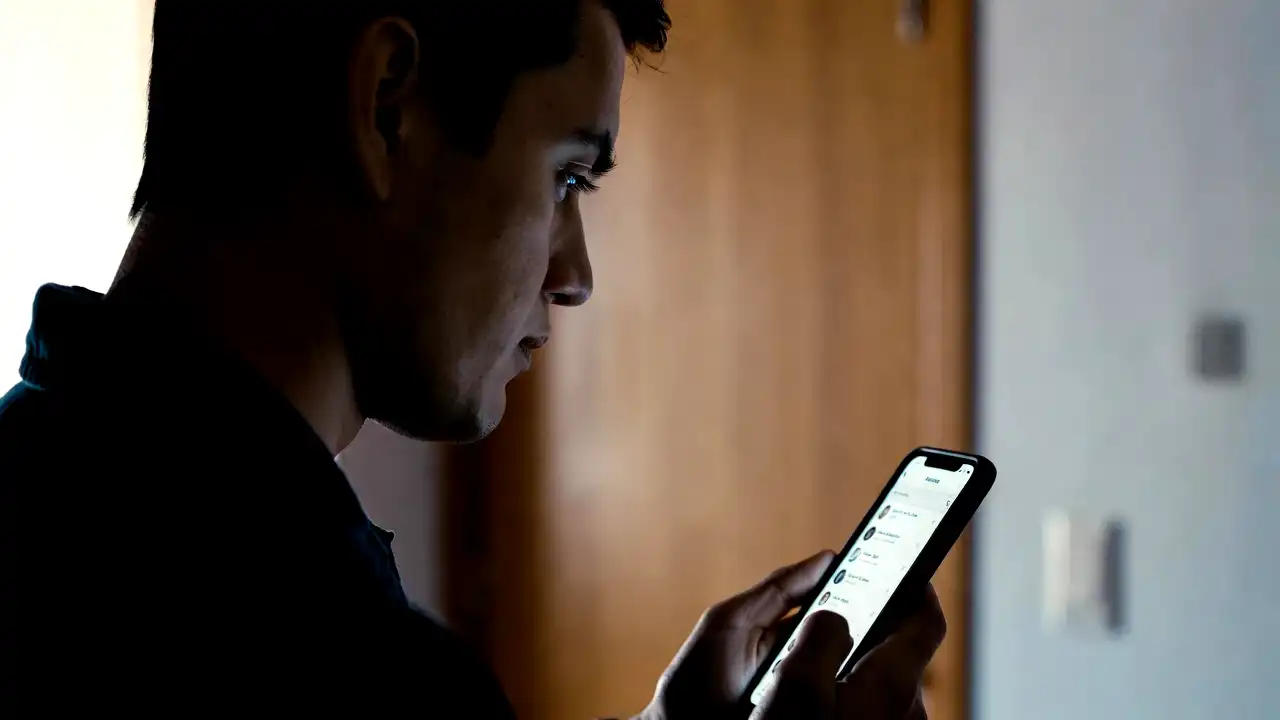
The modern smartphone has successfully condensed our work, social lives, financial transactions, and entertainment into a single, pocket-sized device. This digital convenience, however, is extracting an incredibly heavy physical toll. Medical professionals, orthopedic surgeons, and ergonomic specialists are warning of a massive, rapidly expanding public health crisis: our daily screen-use habits are physically damaging our hands, wrists, and fingers.
The human hand is one of the most complex, delicate engineering marvels of the biological world. Containing 27 individual bones, 34 muscles, and a dense network of highly sensitive nerves and tendons, the hand evolved to perform highly specific physical tasks. Our hands are designed for power grips, such as holding tools or climbing branches, and precision grips, such as pinching, writing, and manipulating small objects.
Repetitive lateral swiping and typing on frictionless glass are entirely new behavioral patterns in the history of human evolution. With users currently spending an average of 4.5 to 5.5 hours a day on their mobile devices—translating into thousands of repetitive micro-movements every single day—our hands are facing a level of mechanical stress they were never designed to handle.
This persistent mechanical stress is driving a significant rise in repetitive strain injuries, particularly among teenagers, Gen Z, and Millennials who have grown up on touchscreens. From painful tendon inflammation to early-onset joint degradation and physical finger deformities, the physical cost of our screen obsession is starting to manifest in clinics worldwide.
The Evolutionary Mismatch: Why Our Thumbs Were Not Designed for Glass
The human thumb is the single most important evolutionary feature that allowed our species to build civilization. The unique positioning of our opposable thumbs allows us to touch our fingertips, giving us the unmatched dexterity needed to manufacture tools, write scripts, perform surgeries, and play musical instruments.
The joint at the base of the thumb, known as the carpometacarpal joint, is a highly specialized saddle-shaped joint. This saddle design provides the thumb with an extraordinary range of motion, allowing it to move across multiple planes.
However, this high mobility comes with a significant trade-off: the joint possesses very little inherent structural stability, relying heavily on surrounding ligaments and muscles to stay aligned under pressure.
When you use your thumb to scroll, type, and navigate on a large smartphone screen, you force the joint to perform rapid, lateral pinching movements at its maximum physical reach. This repetitive, high-speed movement places an enormous amount of leverage on the delicate carpometacarpal joint, wearing down the protective cartilage and initiating a painful cycle of inflammation and structural damage.
The Physics of Touchscreen Impact Shock
A major, often overlooked factor contributing to smartphone hand injuries is the physical nature of the touchscreen itself. When you type on a traditional mechanical keyboard, the keys have physical travel and spring-like resistance, which absorbs a significant portion of the impact energy generated by your fingertips.
When you tap on a modern smartphone, you are striking your fingertips against a solid, unyielding sheet of chemically strengthened glass. Glass has absolutely zero shock absorption.
Every single time your finger strikes the screen, the impact energy travels directly back up through your finger bones and settles into the delicate joints of your hand.
Over thousands of keystrokes a day, this continuous, micro-impact shockwave damages the joint cartilage and inflames the surrounding tendon sheaths, accelerating the onset of joint wear-and-tear and pain.
The Problem of Stretched Reach on Modern Oversized Phones
Over the past decade, smartphone manufacturers have steadily increased the physical size of their screens to support media consumption and multitasking, with many flagship models now featuring screens larger than 6.7 inches and weighing over 220 grams.
While these large screens are excellent for watching videos, they are a disaster for hand ergonomics.
To reach the upper corners of a large screen with a single hand, a user must stretch their thumb to its absolute physical limit.
This hyper-extension forces the muscles at the base of the thumb to contract under extreme tension, putting an immense, unnatural load on the joint capsule.
If you hold a heavy, wide phone in one hand and use your thumb to reach across the entire screen, you are subjecting your hand to a continuous physical strain that is structurally unsustainable, setting up the perfect conditions for chronic tendon and joint injuries.
Decoding the Physical Toll: The Four Most Common Smartphone Injuries
The physical strain of excessive screen use is driving a rise in specific, clinically recognized hand and wrist conditions. While these injuries were historically confined to specialized industrial workers or older adults suffering from systemic wear-and-tear, they are now increasingly common among younger, tech-native demographics.
De Quervain’s Tenosynovitis: The Wrist-to-Thumb Strain
De Quervain’s tenosynovitis is a highly painful, inflammatory condition that affects the two tendons responsible for controlling the movement of the thumb. These tendons run through a narrow, protective sheath on the thumb side of the wrist.
When a user executes repetitive, lateral swiping movements with their thumb, these tendons constantly rub against the interior walls of the protective sheath.
Over time, this constant friction causes the tendons and the sheath to inflame and swell, narrowing the tunnel and making every movement of the thumb excruciatingly painful.
The primary symptom of De Quervain’s is a sharp, burning pain or swelling at the base of the thumb and along the side of the wrist.
The pain can intensify when gripping objects, twisting the wrist, or attempting to write.
To diagnose this condition, physical therapists often utilize the Finkelstein test, which requires the patient to make a fist with their thumb tucked inside their fingers and then bend their wrist downward.
If this movement triggers a sharp, localized pain at the base of the thumb, it is a clear indicator that the tendons are heavily inflamed and require immediate rest and intervention.
Smartphone Pinky: The Deformity of Support
One of the most visible physical consequences of the modern smartphone is a condition commonly referred to as “smartphone pinky.” Because modern mobile devices are relatively heavy and slippery, users must adopt specific grip styles to keep their phones stable while typing or scrolling.
The most common grip style involves resting the heavy bottom edge of the phone directly on the upper joint of the little finger, using the pinky as a supporting shelf while the other fingers grip the back of the device.
Over hours of daily use, the continuous weight of the heavy phone places a concentrated, downward load on the delicate, unshaded joints of the little finger.
This constant pressure can cause a temporary or even permanent physical indentation in the soft tissue of the pinky, while also stretching the surrounding ligaments, leading to chronic joint pain, stiffness, and long-term alignment issues.
Carpal Tunnel and Cubital Tunnel Syndromes
Excessive smartphone use is also linked to the compression of major nerves traveling through the arm and wrist, leading to the development of painful, chronic conditions like carpal tunnel and cubital tunnel syndromes.
When you hold a smartphone in front of your face for hours, you must hold your wrist and elbow in static, bent positions.
This prolonged flexion narrows the carpal tunnel in the wrist and the cubital tunnel in the inner elbow, placing constant, physical pressure on the median and ulnar nerves.
This compression blocks the nerve’s blood supply, leading to symptoms of numbness, tingling, and a pins-and-needles sensation in the fingers, along with a gradual loss of grip strength that can make opening a jar or holding a pen incredibly difficult.
Text Neck: The Sixty-Pound Weight on Your Spine
While not a direct hand injury, the phenomenon of “text neck” is structurally linked to how we use our mobile devices. The average human head weighs approximately 10 to 12 pounds when held in a balanced, upright position.
When we look down at a smartphone, we typically tilt our heads forward at a 60-degree angle.
This forward tilt completely alters the center of gravity, forcing the muscles and ligaments of the neck and upper back to work exponentially harder to support the head.
At a 60-degree tilt, the effective weight of the head on the cervical spine increases to an astonishing 60 pounds, or roughly 27 kilograms.
This continuous, unnatural load places immense strain on the cervical vertebrae, accelerating disc degeneration, causing chronic upper back pain, and creating muscle imbalances that can ripple down the arm and worsen hand numbness.
Practical Solutions: How to Protect Your Hands Without Giving Up Your Phone
The reality of the modern digital economy is that abandoning our smartphones is simply not an option for most people. We rely on these devices to run our businesses, coordinate our families, and stay connected with our communities.
However, protecting your hand health does not require entering a state of absolute digital isolation. By implementing a series of evidence-based ergonomic adjustments, using smart accessories, and adopting healthy usage habits, you can drastically reduce the physical strain on your hands and protect your joints from long-term damage.
Embracing Ergonomic Accessories and Phone Grips
The first and most effective defense against smartphone-related hand strain is the use of ergonomic phone accessories. Traditional, flat phones force the hand to hold the device in a tight, closed-fist grip that restricts blood flow and places maximum strain on the little finger and the thumb.
Accessories like pop-sockets, ring holders, and loop grips completely change this dynamic.
These simple, inexpensive tools attach to the back of the phone, allowing you to slide your fingers through a secure loop or ring.
This allows you to hold the device in a much more natural, open-palm position, eliminating the need to use your little finger as a supporting shelf.
By taking the weight of the phone off your fingers, these accessories reduce muscle fatigue and allow your thumb to glide across the screen with significantly less physical effort.
Shifting to Two-Handed Typing and Index Fingers
If you are typing a long email, responding to a detailed message, or navigating a complex app, you should abandon the habit of typing with your thumbs entirely. Using two thumbs on a large screen forces the hands into a highly tense, symmetric grip that places maximum strain on both carpometacarpal joints simultaneously.
Instead, transition to a two-handed typing model. Support the phone securely with one hand, and use the index finger of your other hand to tap and swipe.
While this technique may feel slightly slower or less modern at first, it is far healthier for your joints.
The index finger has a much larger, more stable range of motion than the thumb and does not rely on a delicate, saddle-shaped joint to execute lateral movements, making this two-handed approach an excellent way to reduce hand fatigue.
Leveraging Voice-to-Text and AI-Agent Interfaces
The rapid advancement of artificial intelligence is offering a highly effective, hands-free solution to the smartphone strain crisis. Modern voice-recognition engines have become incredibly fast, accurate, and context-aware, allowing users to compose long text messages, draft emails, and run searches using simple, natural language dictation.
By prioritizing voice-to-text features, you can drastically reduce the physical necessity of striking your fingers against hard glass.
Furthermore, as the tech industry transitions toward advanced, conversational AI-agent interfaces—such as next-generation voice assistants and proactive digital companions—users will be able to execute complex, multi-step tasks purely through verbal dialogue.
This transition from physical touch inputs to voice-driven computing represents the ultimate solution to the smartphone thumb epidemic, allowing users to remain highly productive while keeping their hands resting comfortably.
Implementing the Hand Stretching and Recovery Routine
Just as athletes stretch their muscles before and after a high-intensity workout, smartphone users must implement a regular stretching and recovery routine to protect their hands and wrists from chronic strain.
By taking a brief, 5-minute stretching break for every 45 minutes of screen use, you can promote healthy blood flow, reduce muscle tension, and keep your tendons moving smoothly.
A simple, evidence-based stretching routine includes:
- Tendon Glides: Open your hand flat, then curl your fingers into a tight fist with your thumb resting on the outside. Hold for five seconds, then stretch your fingers back out as wide as possible. Repeat ten times to keep the hand tendons moving smoothly through their sheaths.
- Thumb Extensions: Open your hand flat, then gently pull your thumb backward away from your palm using your other hand until you feel a comfortable stretch in the muscle at the base of the thumb. Hold for ten seconds, then release. Repeat five times on each hand.
- Wrist Flexes: Extend your arm straight in front of you with your palm facing down. Use your other hand to gently bend your wrist downward toward the floor until you feel a comfortable stretch along the top of your forearm. Hold for fifteen seconds, then reverse the stretch, pulling your fingers backward toward your body to stretch the underside of your wrist. Repeat five times on each arm.
The smartphone thumb epidemic is a powerful, highly instructive warning of how our rapidly evolving digital lifestyles can outrun the physical limits of our biological bodies. By forcing our delicate hands to perform thousands of repetitive, high-stress micro-movements on hard glass every single day, we are creating a systemic public health crisis that will only continue to grow as our screen time expands.
However, by recognizing these physical limits, using smart ergonomic accessories, transitioning to voice-driven computing, and implementing simple stretching routines, we can successfully protect our hands and preserve our physical health in the digital age, ensuring that we can continue to enjoy the incredible convenience of technology without paying a painful price in our joints and bones.