In an era of rising cloud storage subscriptions and increasing privacy concerns, taking control of your data has never been more important. The Synology DiskStation DS224+ is the definitive choice for home users and small offices seeking a reliable, high-performance way to store, back up, and serve their data. As a compact two-bay NAS (Network Attached Storage), it balances raw power with the intuitive software that has made Synology the industry leader.
Whether you need a private alternative to Google Photos, a centralized backup point for your family’s laptops, or a personal media server, the DS224+ is engineered to handle it all. In this review, we examine whether its dual-core processor and DiskStation Manager (DSM) operating system make it the best entry- to mid-level NAS in 2026.
What is the Synology DiskStation DS224+?
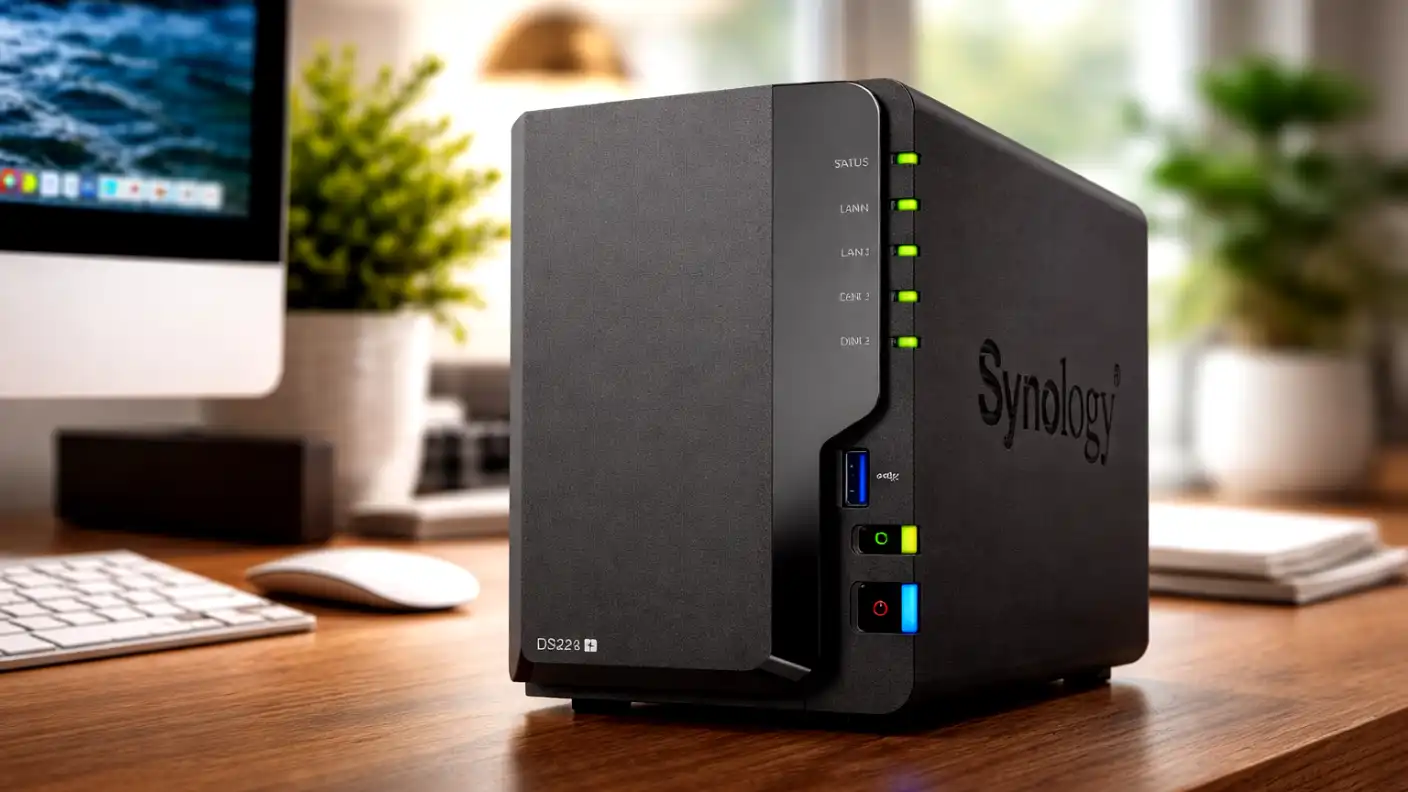
The Synology DS224+ is a two-bay desktop NAS enclosure designed to serve as the central nervous system of your digital life. It is powered by an Intel Celeron J4125 processor and 2GB of DDR4 RAM (expandable), offering enough performance to run multiple concurrent applications without breaking a sweat.
It is specifically designed for users who have outgrown external hard drives and are ready for the reliability of a RAID-configured storage solution. By housing two hard drives in a “mirrored” (RAID 1) configuration, the DS224+ ensures that even if one drive fails, your data remains completely safe and accessible.
Key Features and Capabilities
Synology’s greatest asset is undoubtedly its operating system, DiskStation Manager (DSM). The DS224+ runs the latest version of DSM, which transforms the hardware from a simple storage box into a full-fledged private server.
Automated Data Protection
Backing up your devices shouldn’t be a manual task that you eventually forget. The DS224+ automates the entire process, providing peace of mind for both home users and small business owners.
- Synology Drive: Acts as your own private version of Google Drive or Dropbox, syncing files across all your computers and mobile devices.
- Active Backup for Business: A powerful tool that takes bare-metal backups of your Windows PCs and servers, allowing for full system recovery after a crash.
- Time Machine Support: Native integration for macOS, providing seamless, invisible backups for every Mac in your home.
Media Management and Sharing
Beyond pure storage, the DS224+ excels at serving media. Whether you are building a private photo library or streaming 4K video to your TV, the hardware acceleration ensures a smooth, buffer-free experience.
- Synology Photos: An AI-powered photo management tool that automatically categorizes your pictures by person, location, and subject—perfect for replacing expensive cloud subscriptions.
- Plex Media Server: The DS224+ is a fantastic host for Plex, allowing you to organize and stream your digital movie and music collection across all your devices.
- Secure Remote Access: Synology’s QuickConnect feature lets you access your files from anywhere in the world without having to mess with complex router port forwarding.
Advantages and Disadvantages
Deciding to invest in a dedicated NAS is a step up from simple external storage. It is essential to understand the specific benefits you gain and the potential learning curve involved in managing network-attached hardware.
Advantages
The following highlights explain why the DS224+ is widely considered the best two-bay NAS for most users.
- DSM Operating System: Synology’s software is the gold standard, offering an app store-like experience that makes installing new features incredibly simple.
- Performance-to-Size Ratio: The Intel-based architecture allows for smooth 4K video transcoding and fast file transfers while maintaining a very small physical footprint.
- Scalability: As your needs grow, you can easily expand your storage capacity by simply swapping in larger hard drives, and the system handles the expansion automatically.
Disadvantages
These limitations are important to note, especially if you have very specific high-performance or enterprise requirements.
- Two-Bay Limitation: Because it only holds two drives, you are limited to RAID 0 or RAID 1 configurations, which lack the advanced data protection of 4-bay or 6-bay models.
- RAM Constraints: While 2GB of RAM is sufficient for file storage and backups, it can become a bottleneck if you run too many resource-intensive Docker containers simultaneously.
- Hard Drive Costs: Remember that the DS224+ is sold as an enclosure; you must purchase compatible NAS-grade hard drives separately, which adds to the initial setup cost.
Final Verdict: Is It Worth the Investment?
The Synology DiskStation DS224+ is the perfect “Goldilocks” NAS for the vast majority of people. It is powerful enough to handle heavy office workloads and large media libraries, yet simple enough for a beginner to manage via a web browser.
If you are currently paying monthly fees for cloud storage or living in fear of a single hard drive failure, the DS224+ is a sound investment. It provides professional-grade data security, unparalleled media management, and the flexibility to grow alongside your digital life. It isn’t just a hard drive—it’s the start of your own private, secure, and permanent digital infrastructure.